
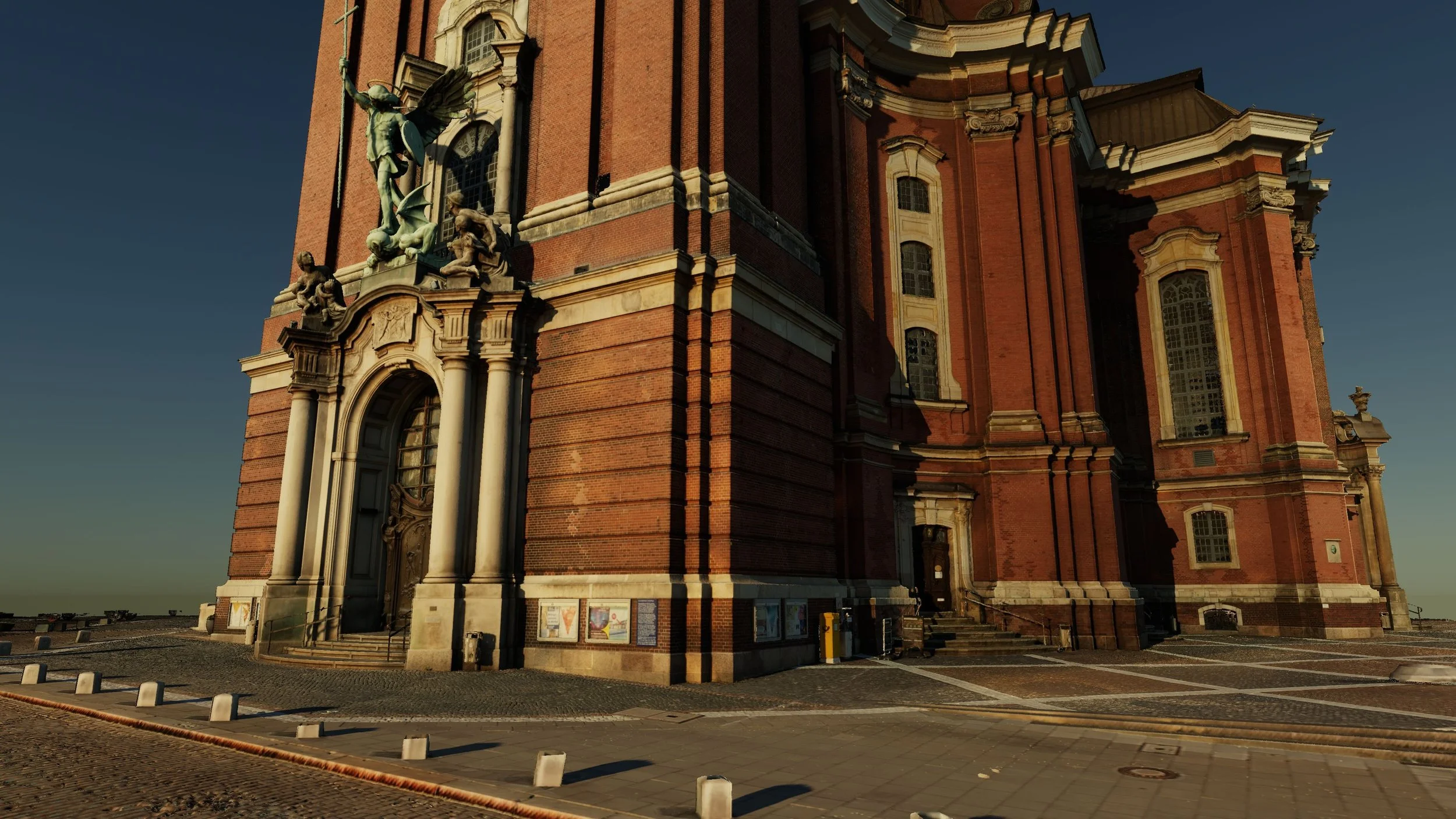
v752: Real-World Sunlight & Shadow Simulation
Experience your point clouds, meshes, CAD, and BIM models under realistic daylight conditions. Simulate how sunlight and shadows interact with your projects throughout the day to create more informative visualizations and compelling presentations.
Time-of-Day Simulation
Simulate the movement of the sun and shadows between sunrise and sunset. Watch lighting conditions evolve naturally throughout the day and create engaging time-of-day animations with just a few clicks.
Real-World Sunlight & Shadows
Render physically accurate sunlight and dynamic shadows on reality capture data. Reveal how light interacts with massive and even hybrid datasets while improving depth perception and visual realism.
Location-Specific Conditions
Reproduce local daylight conditions by specifying your project’s geographic location, date, time, and time zone. NUBIGON automatically calculates the real-world sun position for every simulation.
Enhanced Lighting & Rendering
A completely redesigned lighting engine introduces a physically based sky, automatic exposure, bloom, improved shadow maps, and multiple tone-mapping algorithms for more natural, visually compelling project presentations.
Higher-Quality Image Export
Capture screenshots at up to 8K resolution and export PNG image sequences significantly faster for professional presentations and video production workflows.
Improved Gaussian Splat Workflows
Clip planes now support Gaussian Splats, making dollhouse views and hybrid presentations possible alongside point clouds, meshes, and CAD/BIM models. Enhanced Level of Detail (LoD) further improves the opening and navigation of large datasets.
More Reliable Georeferenced RVT Alignment
Fixed an issue that could cause misalignment when importing georeferenced Revit (RVT) models.
v741: Faster Octree Generation, Georeferenced RVT Alignment & Mesh-to-Point-Cloud
Work faster and more confidently on complex projects with high-speed octree generation, auto-alignment for georeferenced Revit models, and mesh-to-point-cloud conversion; all designed for smooth, reliable project presentations.
Faster Octree Generation
Dramatically reduced processing times for large point clouds, allowing you to start viewing, navigating, and preparing presentations much sooner.
Georeferenced Revit Support
Import georeferenced RVT models together with linked RCP/RCS point clouds; automatically aligned, no extra steps.
Mesh to Point Cloud Conversion
Convert mesh models into point clouds of desired density to unify mixed deliverables within a single visualization workflow.
Improved E57 Stability
More robust handling of E57 files, reducing import issues and improving reliability with complex datasets.
CRITICAL FIX - NUBIGON v731
The adaptive near plane feature introduced with v730 caused visual artifacts in videos.
Please be sure to update v731 to avoid this issue.
NUBIGON v730: Native Revit Support & Enscape Camera Sync
Elevate Scan-to-BIM presentations with auto-aligned Revit imports and synchronized Enscape camera paths.
Import & Auto-Align Revit Models
You can directly import Revit models into NUBIGON and automatically align them to linked Recap point clouds. No more guesswork; models and scans in perfect sync. Instantly start reviewing, showcasing, and animating your project.
Bring Your Enscape Camera Paths into NUBIGON
Import your Enscape camera paths directly into NUBIGON. Maintain consistency across visualization tools and easily enrich your Enscape animations with NUBIGON’s high-performance and versatile point cloud rendering.
What This Means for You
Whether you’re presenting a scan-to-BIM project, validating an as-built model, or producing a polished animation, v7.3.0 makes the transition between platforms faster, smoother, and more reliable. It bridges the gap between design, reality capture, and visualization so you can focus on delivering results.
Explore the new features today and take your Scan-to-BIM presentations to the next level with NUBIGON.
NUBIGON v720: High-Performance Gaussian Splat Rendering
Seamlessly visualize and animate ever-more ambitious Gaussian Splat projects.
🚀 NUBIGON v7.2.0 is here! Now supporting high-performance Gaussian Splat rendering with built-in Level-of-Detail (LOD) for fast, fluid navigation—even across massive scenes. Create cinematic flythroughs that showcase your 3DGS data with stunning photorealism.
Note for Postshot Users
To view Postshot-generated Gaussian Splat files with the correct model orientation in NUBIGON:
Open the file via File > Open Gaussian Splats.
Select the model in the Object List.
Go to the Object Inspector > Transform Attributes.
Set Rotate X to -90.
NUBIGON v710: IFC Support & OBJ Updates


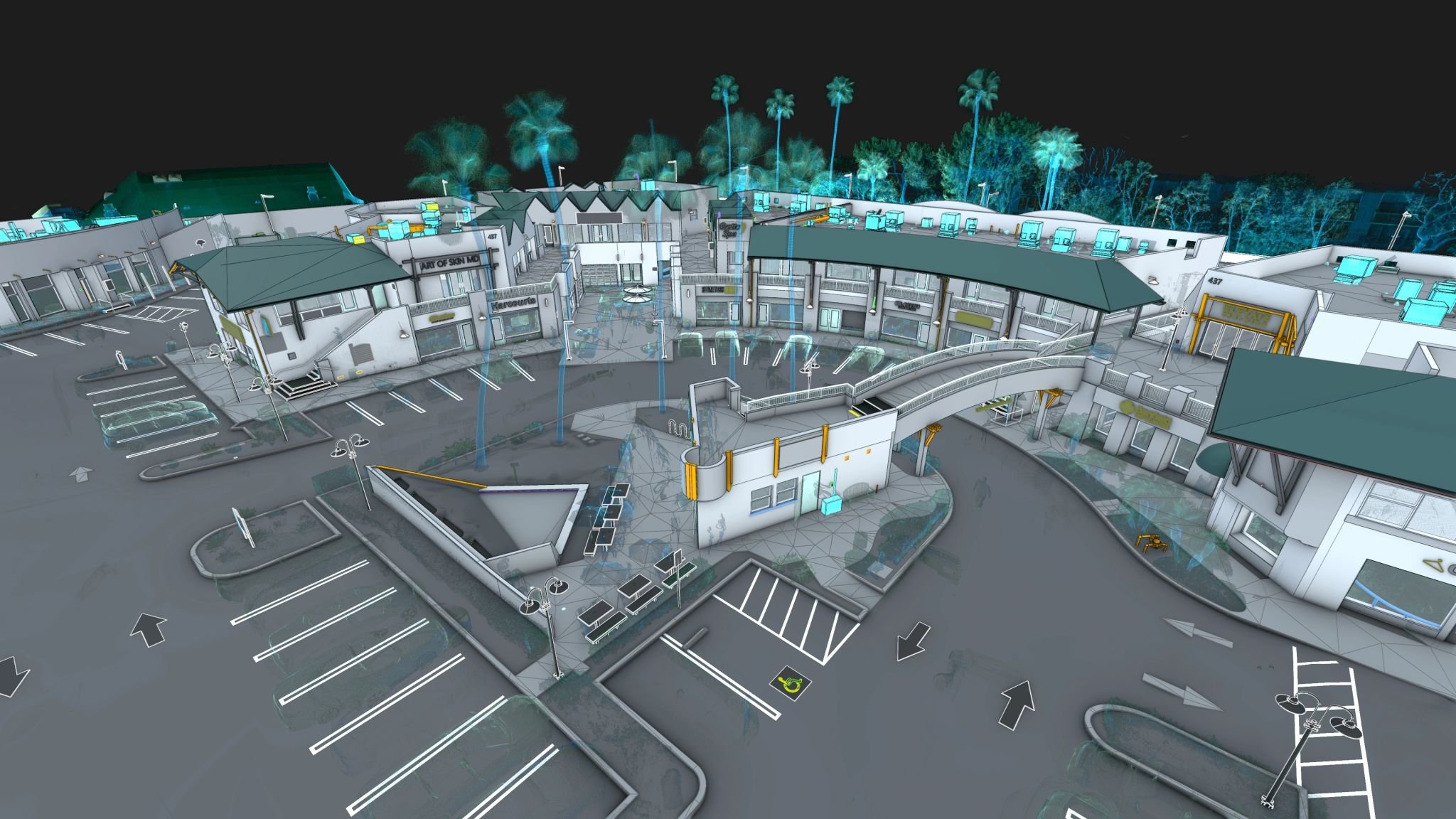
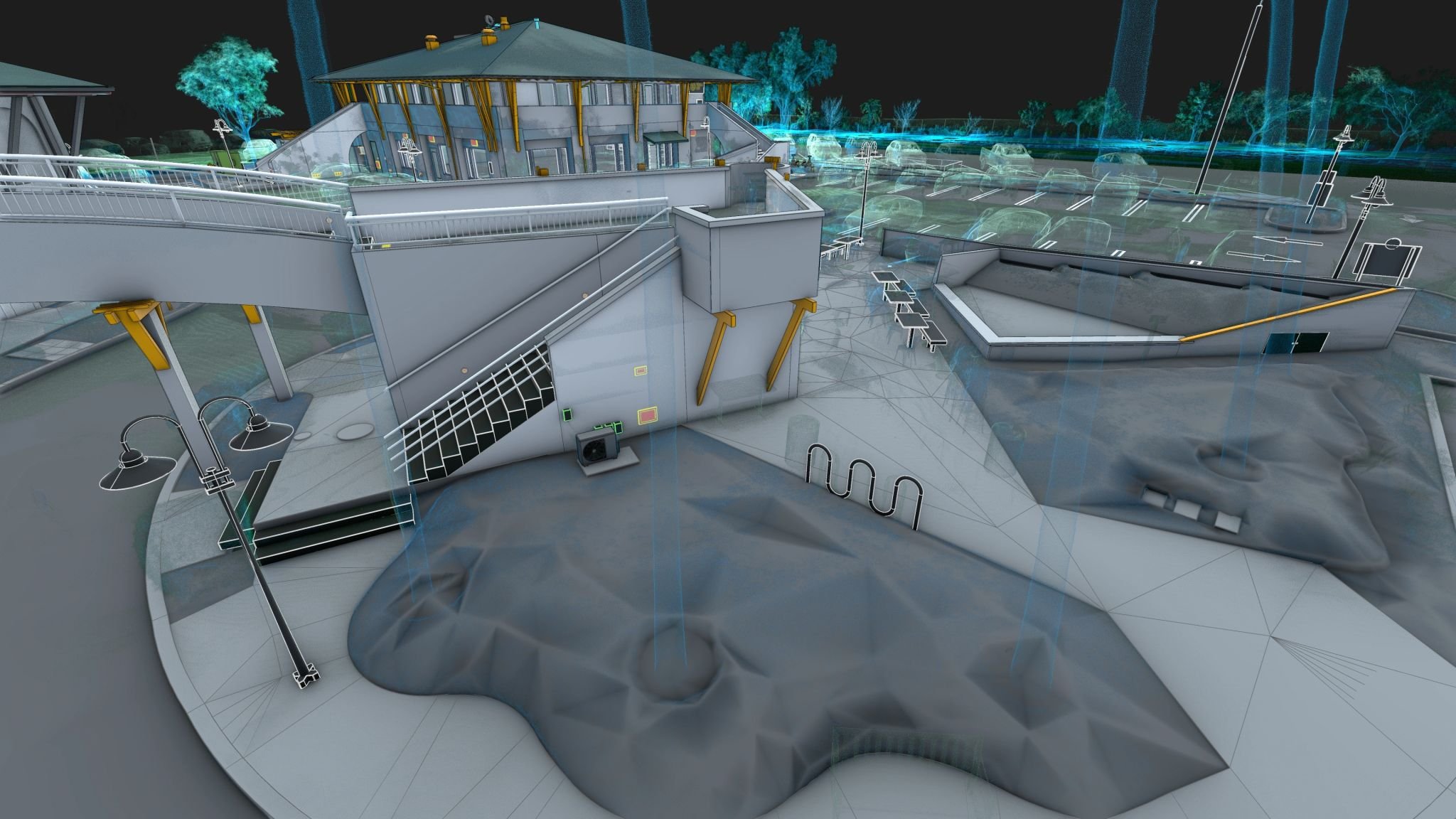

✨ NEW - IFC SUPPORT
Seamlessly import IFC files to render and integrate BIM models with point clouds.
🔹 SMOOTHER OBJ IMPORT
Enjoy a more stable and reliable OBJ import process thanks to essential fixes.
🛠 BUG FIX
Resolved a critical crash when saving scenes with large OBJ models.
Update now and experience a smoother, more powerful NUBIGON! 🚀
NUBIGON v7: A New Chapter in Point Cloud & Mesh Visualization
Experience the next chapter in rendering with streamlined interfaces, greater performance, and stability.
Next-Gen Point Cloud Rendering for Immersive Experiences
Experience the next chapter in point cloud visualization with our new rendering features. sRGB color space delivers vibrant, perfectly balanced colors, while Physically Based Rendering (PBR) replicates real-world material properties for a truly authentic look. Ambient Occlusion (SSAO) enhances depth and realism by adding nuanced shading, transforming your projects into immersive visual experiences.
Enhanced Mesh Rendering for Crisp Scan-to-BIM Demos
Our enhanced mesh rendering empowers you to present scan-to-BIM deliverables with a polished and professional look. Advanced rendering technologies like PBR, SSAO, Image-Based Lighting (IBL), and transparency deliver standout visuals with lifelike materials. Supersampling (SSAA) ensures smooth, high-resolution output, eliminating jagged edges for crisp and impactful presentations.
Clay Rendering for Point Clouds & Meshes
Whether you are presenting point clouds or 3D models, clay rendering is the perfect solution for showcasing intricate surface geometry. By stripping away textures and colors, this rendering mode emphasizes the structure and shape of your models, providing an uncluttered and focused presentation of your site’s physical form.
Premium 4K Screenshots for Ultimate Impact


Effortlessly capture high-resolution visuals with our enhanced screenshot tool. Supersampling and customizable video memory settings ensure every detail is rendered with stunning clarity. Highlight your projects’ full scope while delivering impactful presentations to clients and stakeholders.
Camera Path Export with glTF
Ever wish you could export a camera path from NUBIGON? With our enhanced glTF export feature, now you can! By exporting camera paths as glTF, you can seamlessly render animations in third-party software along identical paths, delivering cohesive and visually stunning results across platforms.
Improved Model Import
NUBIGON’s upgraded model import simplifies and accelerates project setup. With redesigned interfaces and optimized workflows, importing DWG, DXF, and OBJ models is now more convenient and flexible.
Optimized Memory Use for Videos & Screenshots
Producing visuals from large projects is now easier and more reliable with optimized video memory usage for video rendering and screenshots. These enhancements enable high-quality outputs without interruptions, ensuring smooth and efficient workflows even for the most demanding projects.
NUBIGON v620
Showcase classified point clouds
Render classified point clouds in unique ways. Help your audience easily distinguish between features such as buildings, vegetation, and roads, even in X-ray mode.
Configure individual point classes: adjust their visibility, change colors, assign different color sources, and animate them for dynamic presentations!
Enhanced elevation display
With v620, you can apply the elevation color scale on major axes, enabling versatile visualizations of elevations across all dimensions.
Camera path import & export
Import and export camera paths as glTF files. Synchronize camera movements between NUBIGON and other 3D animation or architectural rendering software.

Joint rendering of point clouds & meshes
Improved rendering of point clouds in X-ray mode with meshes. A clearer and more integrated view of your models for enhanced analysis and presentation.

Even faster octree-generation
Save up to 40% octree generation time. Speed up your workflow with v620!
